FretLab PRO analyzer
fret analyzer
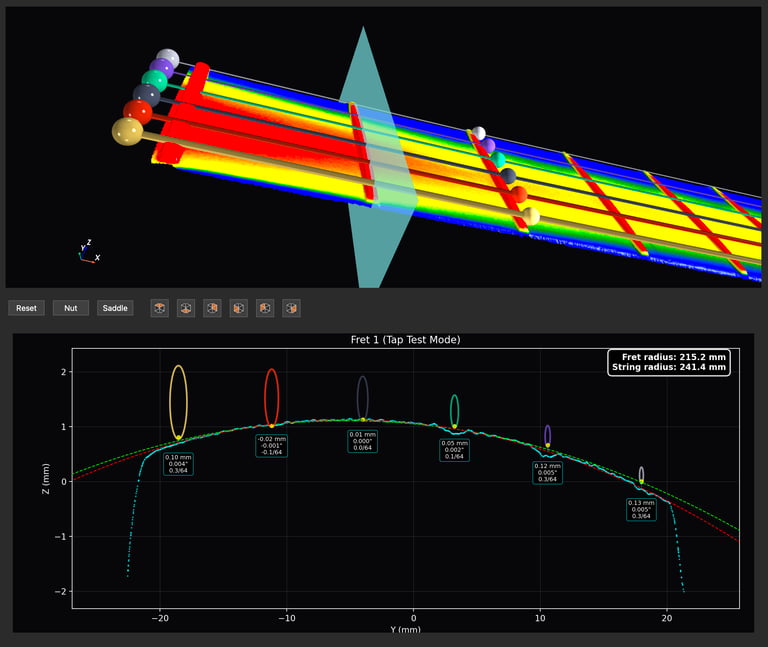
FretLab PRO can take a virtual slice along the center of a fret and display a 2D cross section. It automatically displays the fret radius , string radius, string heights and also highlights any dimples in the frets, caused by fret wear, along with a measurement.
The app also allows the user to zoom-in on any of the parts displayed in the 2D cross section and take additional measurements, in 10 micron increments, using the integrated linear measurement tool.
fretboard analyzer
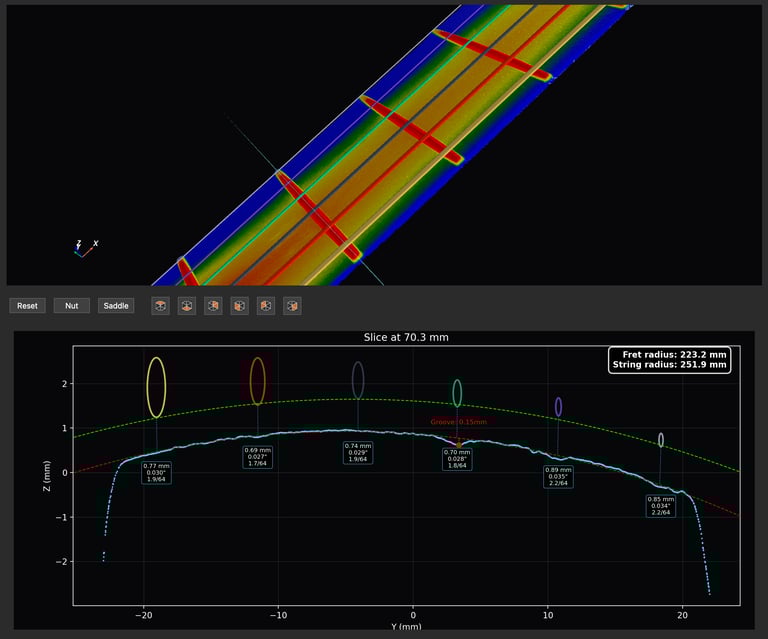
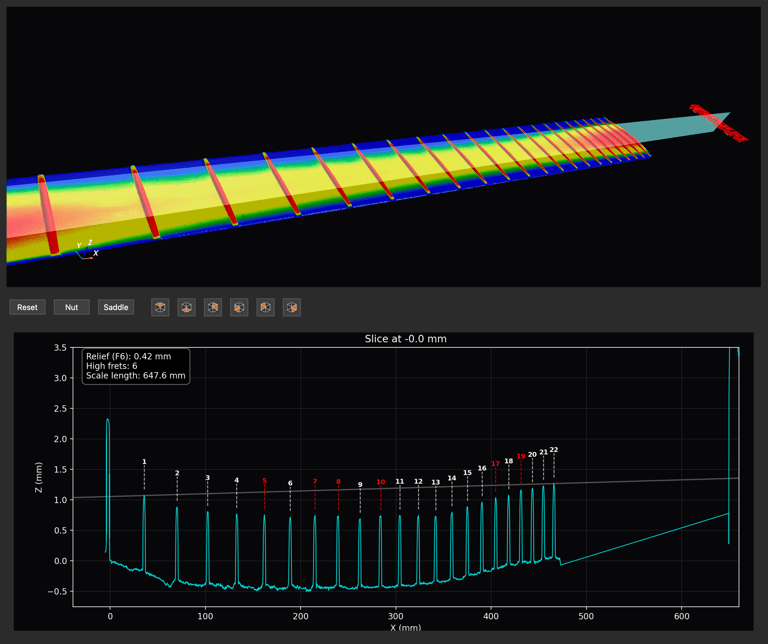
The FretLab PRO fretboard analyzer displays a cross section down the entire fretboard, from the nut to the saddle.
The fretboard can be sliced either right down the center, or under each individual string, or between strings.
The fretboard analyzer automatically displays the relief measurement and the scale length, and also highlights high frets, based on a user-specified tolerance.
The fretboard analyzer can also zoom-in on individual frets and take measurements in 10 micron increments, to measure the distances between frets, fret heights and fret wear.
tap test analyzer
The tap test analyzer is the virtual tool that measures the height of the guitar nut.
Traditionally, a guitar tech will push a string down against the second fret and estimate the height that remains between the bottom of the string and the top of the first fret, by tapping the string. This is generally called a tap test.
In reality the visual tap test does not produce any measurements, unless the tech uses a specialized tool, such as the StewMac Nut Slotting Gauge.
FretLab PRO automatically displays results in the 2D cross section view.